
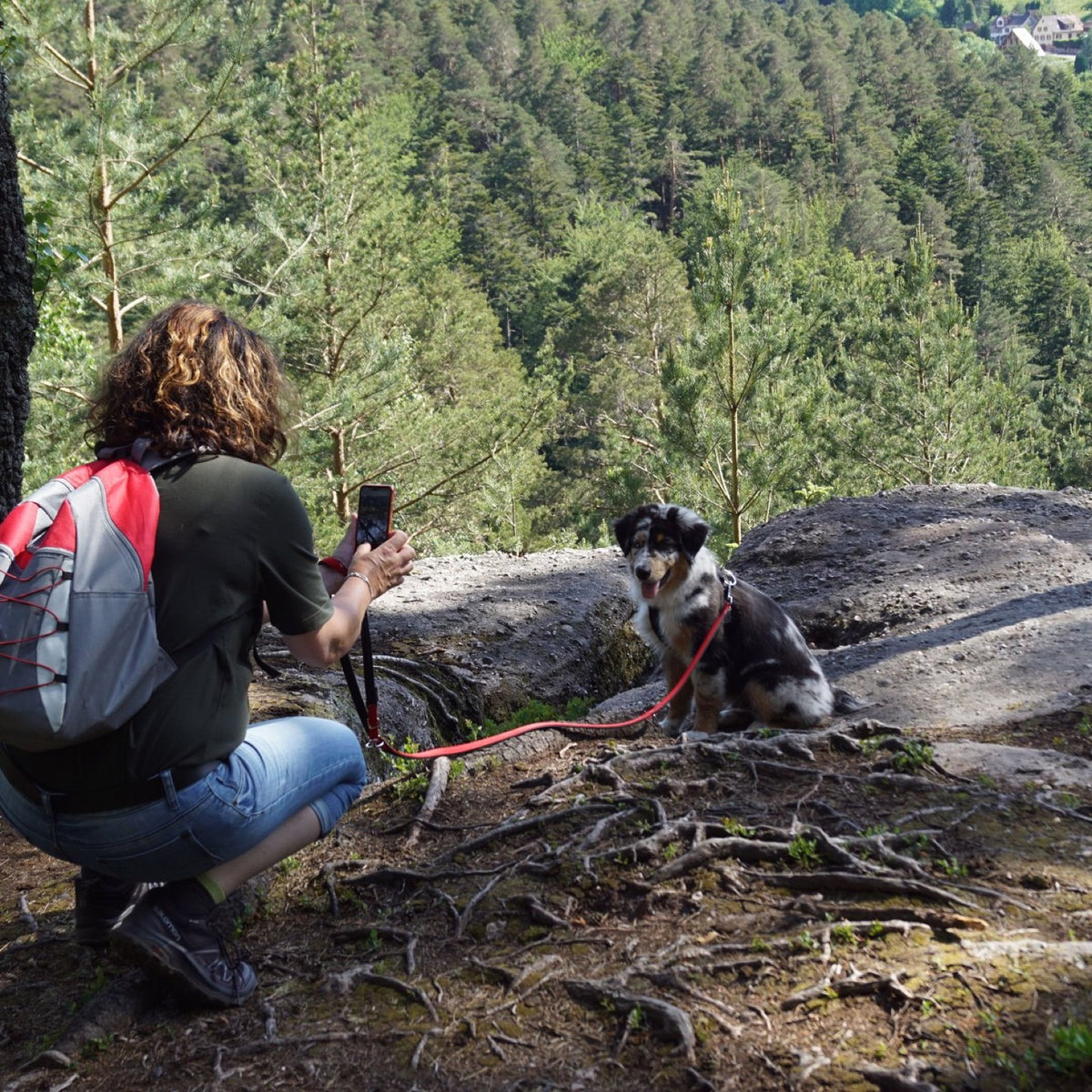
Learning how to take pictures of your dog doesn't take a better camera. It takes a lower angle, better light and about five minutes of your dog's patience. Most dog photos on a phone are taken from standing height, under a ceiling light, one second after the good moment. Fix those three things and your camera roll starts to look different.
Most dog photography tips are written for people with big cameras. Everything below works on an iPhone or an Android phone, with no extra gear. Button names vary a little from phone to phone, but the ideas don't.
How to take pictures of your dog: the short version
- Move to the light. A big window or open shade outside. Flash off.
- Get down to their eye level. Kneel, sit or lie on the floor.
- Focus on the eyes. Tap the eye closest to you on the screen.
- Keep it short. Five minutes, a pocket of treats, then stop while it's still fun.
- Shoot a lot. Use burst mode and pick the best frame later.
That's most of it. The rest of this guide is the detail behind each step, plus what to do when your dog won't sit still, has a black or white coat, or is getting older.
Before you start: a one-minute checklist
- Wipe the lens on your shirt. Phone lenses live in pockets, and a fingerprint makes every shot look hazy.
- Turn the flash off. It flattens fur and makes eyes glow green or white.
- Put small treats, or a squeaky toy, in your pocket.
- Walk or play with your dog first. A slightly tired dog sits far better than a bored one.
- Move the clutter. Laundry, shoes and a stray water bowl pull the eye away from your dog.
Light: find a window before you find your dog
Light does more for a dog photo than any setting on your phone. The best light is big and soft, and in most homes that means a window.
- Window light: put your dog a few feet from a large window, facing it or at an angle to it, and stand with the window to your side or behind you. Their eyes will pick up a small bright reflection, called a catchlight, and that's what makes a photo feel alive.
- Overcast days: a cloudy sky works like a giant lampshade. Colors stay true and there are no harsh shadows. It's the easiest outdoor light there is.
- Golden hour: about the first hour after sunrise and the last hour before sunset. The light is low, warm and flattering, and it's often when dogs are most awake anyway.
- Open shade: on a sunny day, move to the shadow of a building or a big tree, where it's still bright but not direct.
What to avoid: midday sun, which makes dogs squint and throws dark shadows under the brow, and a single ceiling light at night. In dim rooms your phone slows everything down to gather light, so any movement turns into blur. If the only time you can shoot is evening, turn on every lamp in the room and move your dog close to the brightest one.

Get down to your dog's eye level
This single change fixes more dog photos than anything else. Shot from standing height, a dog looks small, the head looks big and the legs look short. Shot from their eye level, they look like themselves, and you see the world the way they do.
For a small dog, that means lying on the floor. For a big dog, sitting or kneeling is usually enough. Hold the phone about level with their eyes and leave a little room around them in the frame.
Two phone habits to watch. First, don't use the 0.5x ultra-wide lens up close; it makes a nose look enormous. Stay on 1x, or step back and use 2x if your phone has it. Second, keep the phone fairly straight, not tilted down, so the floor doesn't slide off at an angle. The looking-up shot from above, with big eyes and a tiny body, is a fun one to have. Just don't let it be the only angle you ever take.

Focus on the eyes
If the eyes are sharp, the photo works, even if the tail is a blur. If the nose is sharp and the eyes are soft, the whole picture feels off.
- Tap the eye closest to you. On most phones a tap sets both focus and brightness on that spot.
- Lock it. On an iPhone, press and hold on the eye until you see "AE/AF Lock," and focus stays put while you wait for the right moment. Many Android phones do the same with a press and hold.
- Be careful with Portrait mode. The blurry background is lovely, but it can smudge the edges of fluffy ears and fur. If the outline looks cut out and pasted on, switch back to regular photo mode.
- Check before you move on. Pinch to zoom on the eyes right after you shoot. What looks sharp on a small screen often isn't.
How to get your dog to cooperate
You're not running a photo shoot. You're playing a short game where the reward happens to be a treat. Keep it light and your dog will keep offering you good faces.
- Hold the treat just above the lens. Their eyes follow the treat, so the treat decides where they look. Right above the phone means they look straight at the camera.
- Use sounds, but save them. A squeak, a crinkled bag or a word they love, like "walk," will get a head tilt, usually once or twice. After that, dogs stop falling for it, so have your finger on the shutter before you make the sound.
- Bring a helper. One person holds the treat or toy behind you; the other shoots. It's twice as easy.
- Use "sit" and "stay" if they know them. Take the photo, say your release word, then reward. They'll learn that the phone means good things.
- Stop at five minutes. End while your dog is still into it. A dog who had fun last time will come running next time.
If your dog turns away every time the phone comes out, lower it, wait and try again tomorrow. Some dogs need to learn that the little black rectangle isn't a problem.
How to photograph a dog that won't stop moving
Puppies, herding breeds and anyone with a ball in sight: for these dogs, you stop waiting for stillness and start shooting a lot.
- Use burst mode. On a recent iPhone, slide the shutter button to the left and hold. On many Android phones you press and hold the shutter, or swipe it; if not, look for "burst" in the camera settings. You'll get dozens of frames, and one of them will have all four paws in the air.
- Try Live Photos on an iPhone. Afterward, tap Edit, open the Live Photo option and slide through the frames to choose a sharper one as the key photo.
- Shoot outdoors in bright light. More light means a faster shutter, which means less blur. The same shot indoors in the evening will almost always come out smeared.
- Let them come to you. In a fenced yard or another safe, enclosed spot, have a helper hold your dog, crouch down 20 or 30 feet away, set focus on the ground where they'll run, then have your helper let go while you call. Dogs running toward the camera are much easier to catch than dogs running across it.
- Record video as a backup. A still grabbed from a video won't be as crisp as a photo, but it can save a moment you'd otherwise miss. If your phone has an action or sports mode, turn it on for this.

Black dogs, white dogs and the brightness slider
Your phone tries to make every scene average brightness. That works for a tan dog on a beige couch. It goes wrong at the two ends of the coat range.
| Coat | What your phone does | What to do |
|---|---|---|
| Black or very dark | Brightens the scene until the background washes out, or leaves your dog as one dark shape with no face. | Use soft, even light. Tap on their face, then drag the brightness slider until you can see texture in the fur. A bright background is fine. |
| White or cream | Darkens everything so white fur turns gray, or in direct sun, the fur glows with no detail. | Keep out of direct sun. Tap on the fur, then pull brightness down slightly until you can see individual strands again. |
| Black and white | Loses detail in one or the other, often both. | Overcast light or open shade helps most. Get the white right first, then check the black side still shows some fur. |
On an iPhone, the brightness slider is the little sun that appears next to the focus box after you tap; slide your finger up or down. Most Android phones show a similar slider after a tap.
Black coats get special attention in our studio. When our artisans paint a black dog for a custom dog figurine, they don't reach for flat black. Most black coats show hints of brown in daylight, and those browns are what our artisans paint from, layer by layer. That's why a daylight photo of a black dog matters to us: it catches the brown. A flash photo hides it. It's worth knowing even if your photos only ever end up on the fridge.
Dog photoshoot ideas at home
You don't need a park or a studio. A few indoor dog photoshoot ideas that work in an ordinary living room:
- The window nap. Wait for the afternoon nap, then shoot from floor level with the window beside you. Quiet, easy and usually the best light in the house.
- A bedsheet backdrop. Tape a plain sheet or blanket to the wall and let it run onto the floor. Instant clean background, and it makes a white or golden dog stand out.
- The head tilt. Treat above the lens, finger on the shutter, then one new noise. You'll get one or two tilts, so be ready.
- Close-ups. The pink and black freckles on a nose, the paw pads, one ear inside out. Details like these are what you'll miss later.
- With you in it. Photos of the two of you don't need your face: your hand on their head, your sneakers next to their paws on a walk, the two of you on the couch from behind.
- Their daily routine. Waiting at the door at walk time. Staring at the food bowl. The leash in their mouth. These become the photos that tell their whole story.
- A birthday or gotcha day. A paper hat, a homemade sign taped up behind them and a helper ready on the shutter. You'll have a few seconds before the hat comes off, which is about as long as it should stay on anyway.

If your dog is getting older, take more photos now
The gray around the muzzle comes in slowly, and then one day you notice it's everywhere. Older dogs are often the easiest to photograph, too: they're calmer, they nap in good light and they'll hold still for a treat.
Take the ordinary pictures while you can. The way they sleep with one paw over their nose. Their spot on the couch. The walk they still love, even if it's shorter now. Take a few with you in the frame, and record a few short videos with sound. If you're planning special days together, our senior dog bucket list has ideas worth photographing too.

Keep the good ones safe
- Make a favorites album the same day, while you still remember which frame was the one.
- Back up. Turn on cloud backup, or copy the album to a computer now and then. A lost phone shouldn't take every photo of your dog with it.
- Edit lightly. Crop, straighten, nudge the brightness. Skip heavy filters that change coat color; you'll want the real color later.
- Keep the originals. A screenshot, or a photo saved from social media, has far less detail than the file on your camera roll.
- Print a few. A photo on the fridge gets looked at every day. One in the camera roll might not get looked at for years.
From your camera roll to their own little figurine
A good dog photo does a lot of jobs: the lock screen, the frame on the desk, the birthday card. It's also where every piece in our studio starts. If you'd like one of your photos turned into a custom pet figurine made from your photos, or a custom pet keychain for your bag, our guide to the photos a custom pet figurine needs lists the angles we ask for. A person looks through every set of photos before anything is made, and you see a color 3D preview before anything is printed, with a full refund any time before you approve your preview. Pieces start at $98.

And if all you remember about how to take pictures of your dog is "lie on the floor, near a window," that's plenty. Your dog will probably think it's a game.